

Laravel’s Artisan command-line tool is one of its most powerful features. While the default commands help scaffold and maintain your Laravel applications, there are times when you need to build your own commands to automate repetitive tasks or handle background processes.
🎯 What is a Custom Artisan Command?
A custom Artisan command is simply a developer-defined command that performs a specific task — scheduled jobs, data imports, backups, reports, or any business logic.
💡 Why and When Should You Use Custom Artisan Commands?
Use custom commands when you:
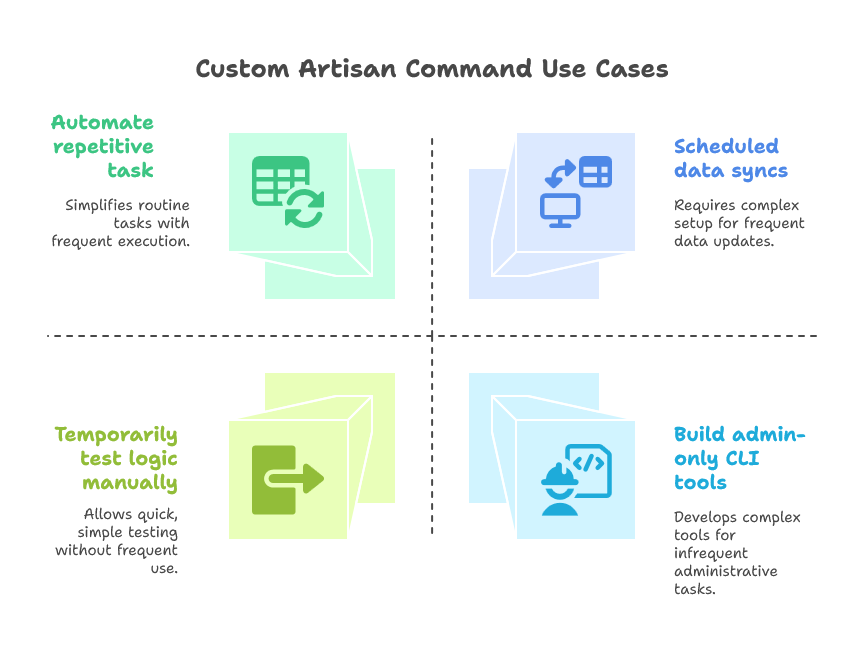
🛠️ How to Create a Custom Artisan Command
Step 1: Generate a Command
php artisan make:command GenerateMonthlyReportThis creates the file:
app/Console/Commands/GenerateMonthlyReport.phpStep 2: Define the Command Signature and Description
Edit the generated file:
namespace App\Console\Commands;

use Illuminate\Console\Command;

class GenerateMonthlyReport extends Command
{
    // The name and signature of the console command
    protected $signature = 'report:monthly {--month=}';

    // The console command description
    protected $description = 'Generate monthly performance report for agents';

    public function handle()
    {
        $month = $this->option('month') ?? now()->subMonth()->format('Y-m');

        $this->info("Generating report for: $month");

        // Simulate report generation
        // Normally, you'd fetch from DB and write to PDF/Excel
        \Log::info("Report generated for $month");

        $this->info("✅ Report generated successfully!");
    }
}
Step 3: Register the Command (Optional in Laravel 8+)
If you're using Laravel <8, register the command in app/Console/Kernel.php:
protected $commands = [
    \App\Console\Commands\GenerateMonthlyReport::class,
];
Step 4: Run It
php artisan report:monthly --month=2024-06🧠 Real-World Use Case: Insurance CRM – Agent Commission Report
In an insurance CRM application:
Problem:
Management needs a monthly report showing total commission earned by each agent.
Solution:
Create a command php artisan report:commission that:
Accepts
--monthFetches policies sold in that month
Calculates commissions using business logic
Generates and emails an Excel file
public function handle()
{
    $month = $this->option('month') ?? now()->format('Y-m');
    $this->info("📈 Preparing commission report for $month...");

    $agents = Agent::with('policies')->get();

    foreach ($agents as $agent) {
        $total = $agent->policies()
                       ->whereMonth('issued_at', '=', $month)
                       ->sum('commission');

        $this->line("Agent {$agent->name}: ₹{$total}");
        // Optionally, export or email report
    }

    $this->info("✅ All done!");
}
⏱ Schedule It with Laravel Scheduler
Add to App\Console\Kernel.php:
protected function schedule(Schedule $schedule)
{
    $schedule->command('report:monthly')
             ->monthlyOn(1, '02:00') // 1st of every month at 2 AM
             ->withoutOverlapping();
}
🎁 Bonus: Accepting Multiple Arguments & Options
protected $signature = 'report:agent {agent_id} {--export=pdf|csv}';

public function handle()
{
    $id = $this->argument('agent_id');
    $format = $this->option('export');

    // Fetch agent and export data accordingly
}
🧩 Tips for Clean Custom Commands
Keep logic small – push complex logic to services or jobs.
Use
info(),error(),line()for clear CLI output.Use progress bars for long-running tasks.
Log important actions using Laravel’s
Log.
🔚 Final Thoughts
Custom Artisan commands are a game-changer for any Laravel developer. They help you move from manual to automated, from tedious to efficient.