

Imagine your application is running on a single server.
At first, everything works perfectly.
Then your application becomes popular.
Suddenly, thousands of users are sending requests simultaneously.
Your server starts experiencing:
High CPU usage
Increased response time
Memory pressure
Connection limits
Eventually, downtime
The obvious solution is to add more application servers.
But this creates another problem:
Who decides which server should handle each request?
This is where a Load Balancer comes in.
🏗️ What Is a Load Balancer?
A Load Balancer is a component that sits between clients and backend servers and distributes incoming traffic across multiple servers.
Instead of:
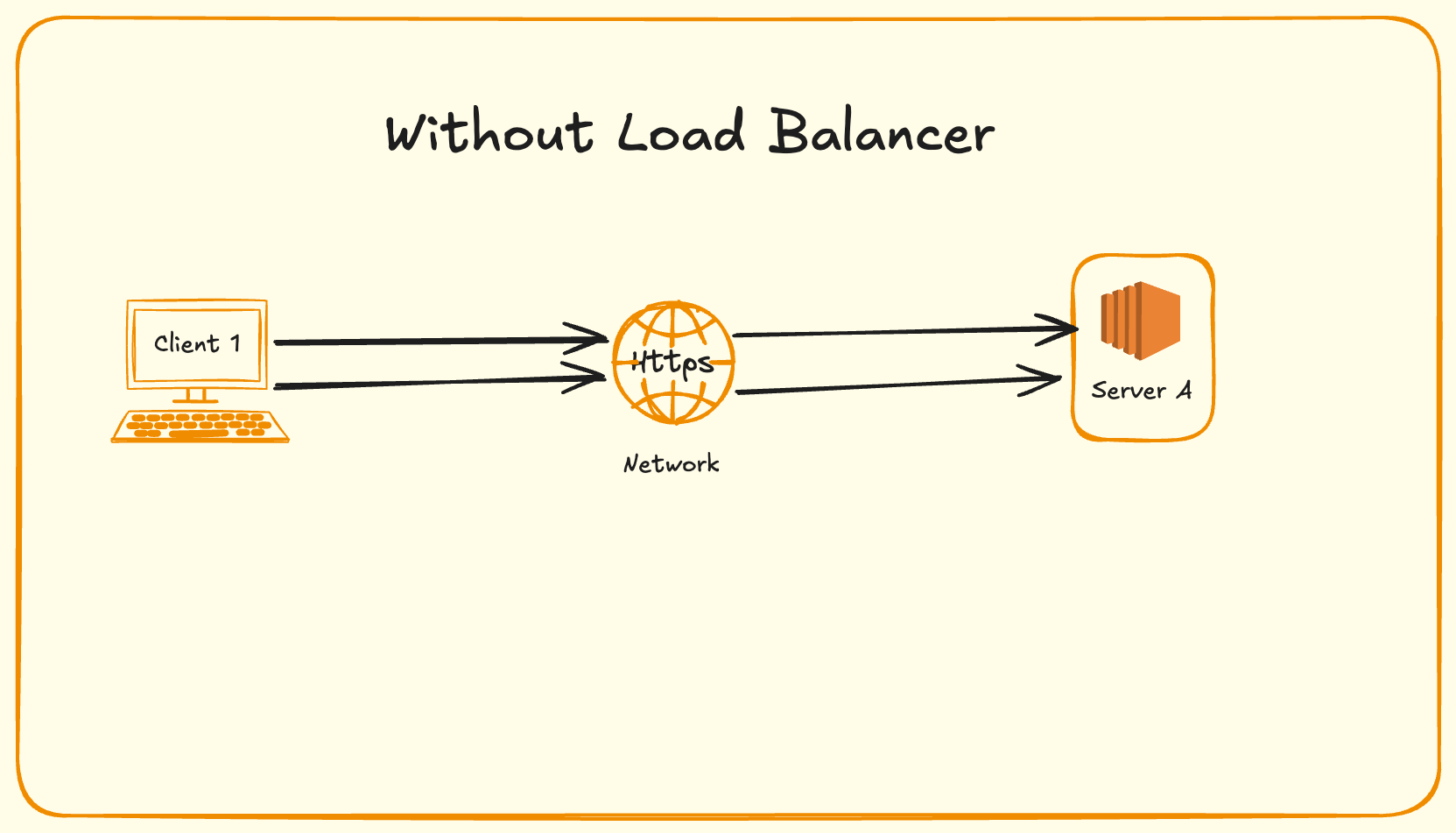
we introduce a load balancer:
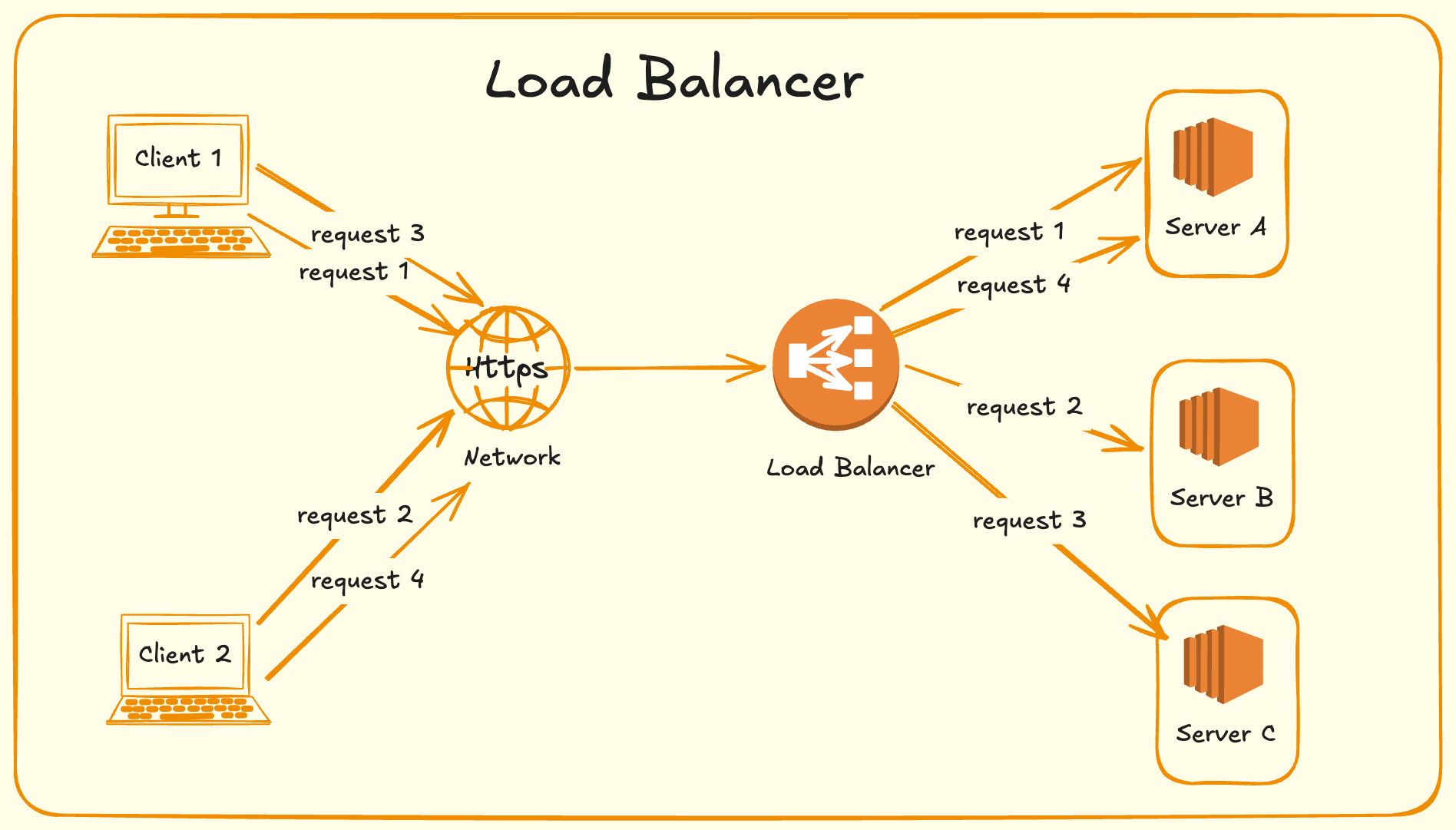
The client doesn’t need to know which application server processes the request.
The load balancer handles that decision.
💡Why Do We Need a Load Balancer?
A load balancer primarily helps solve four major problems.
Scalability
Instead of continuously increasing the capacity of one server, we can add more servers.
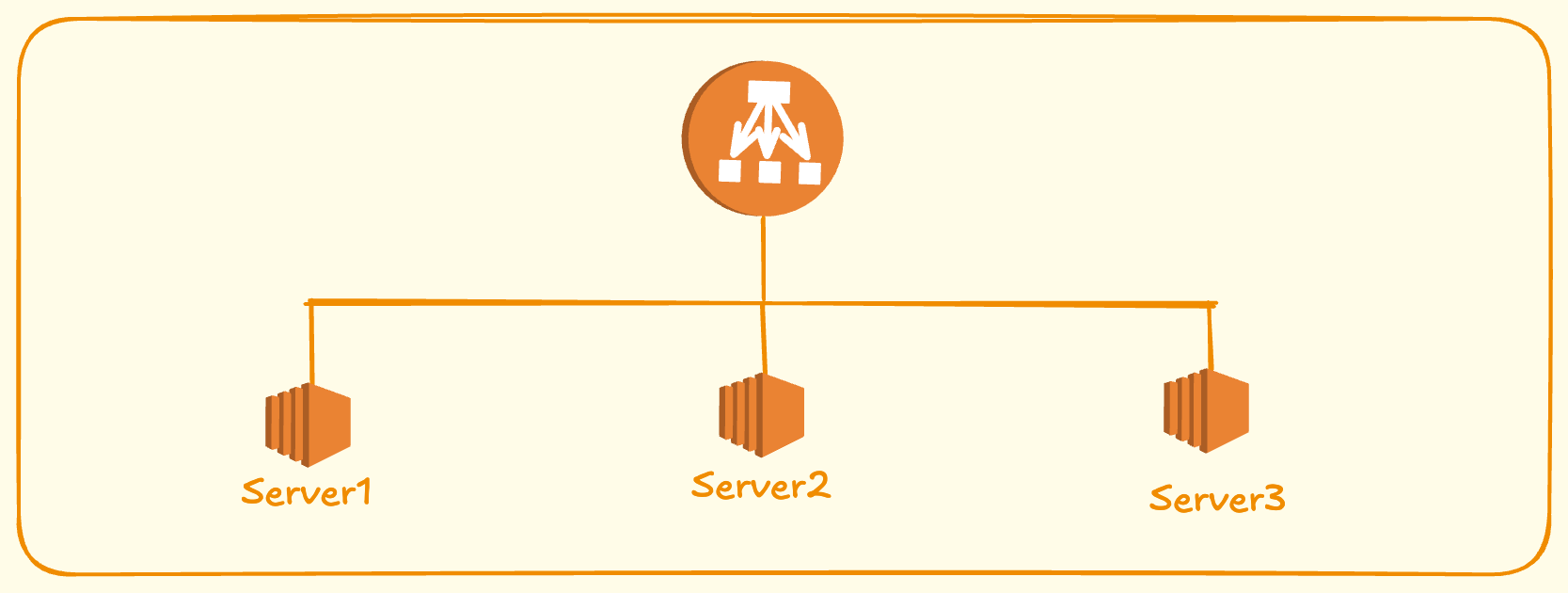
This is known as horizontal scaling.
High Availability
What happens if Server B crashes?
A good load balancer detects that Server B is unhealthy and stops sending traffic to it.
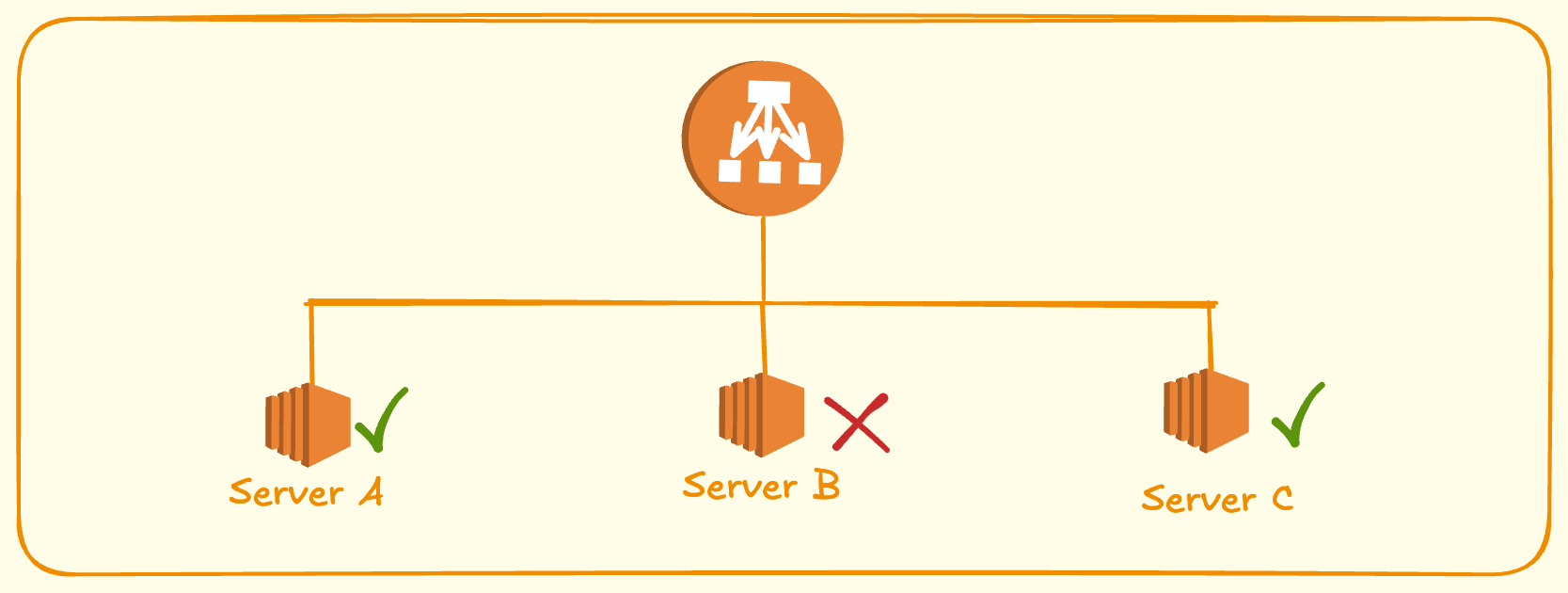
Users can continue using the application.
Fault Tolerance
A failure in one server should not necessarily become a failure of the entire application.
The load balancer acts as a layer that isolates individual server failures.
Performance
Traffic can be distributed across multiple servers instead of allowing one server to become overloaded.
⚖️ Load Balancing Algorithms
Choosing the correct backend server is one of the most important responsibilities of a load balancer.
There are several common algorithms.
Round Robin
Requests are distributed sequentially.
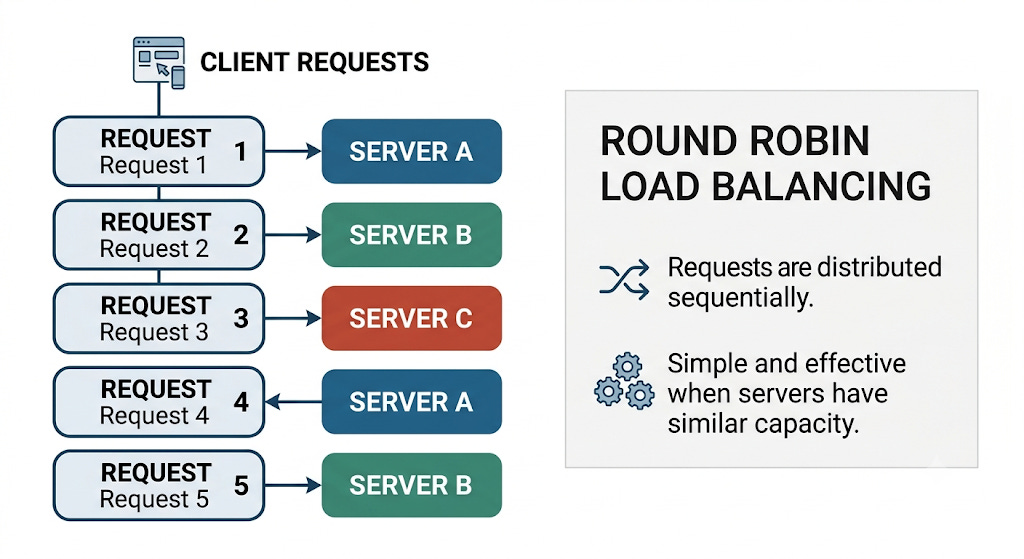
Simple and effective when servers have similar capacity.
Weighted Round Robin
Not all servers need to have equal capacity.
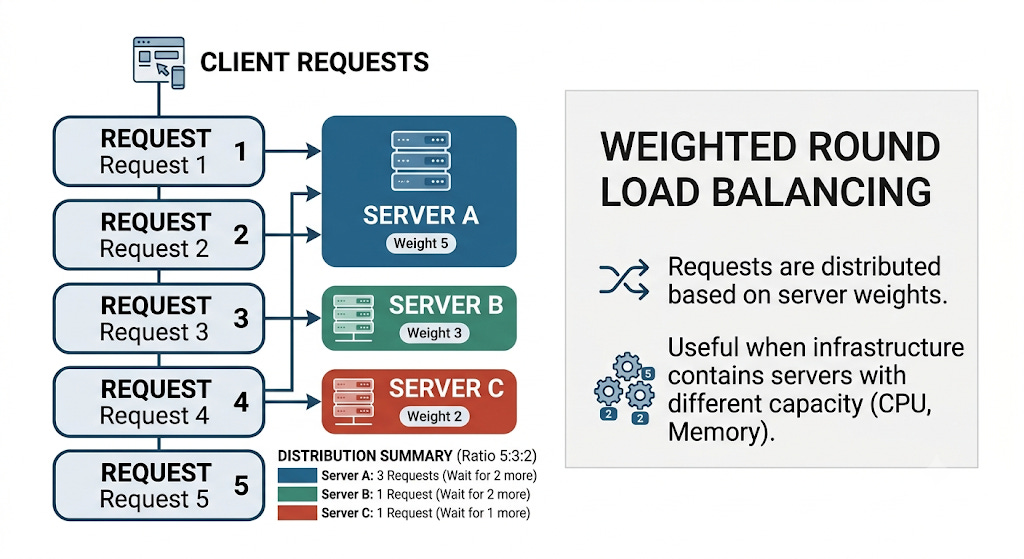
Server A receives more traffic.
This is useful when your infrastructure contains servers with different CPU, memory, or instance sizes.
Least Connections
The load balancer sends traffic to the server with the fewest active connections. The next request can be sent to Server B:
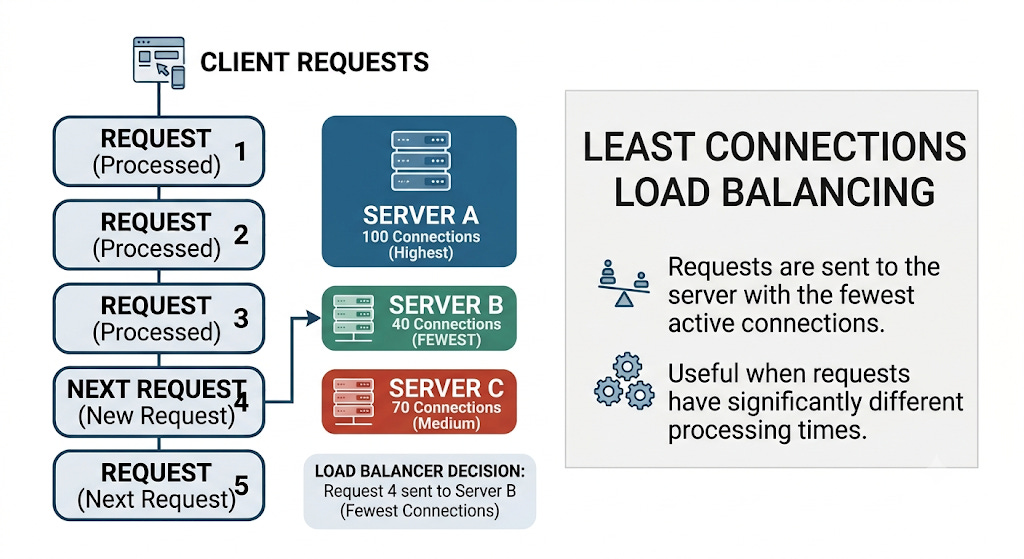
This can be useful when requests have significantly different processing times.
IP Hash
The load balancer calculates a hash based on the client's IP address.
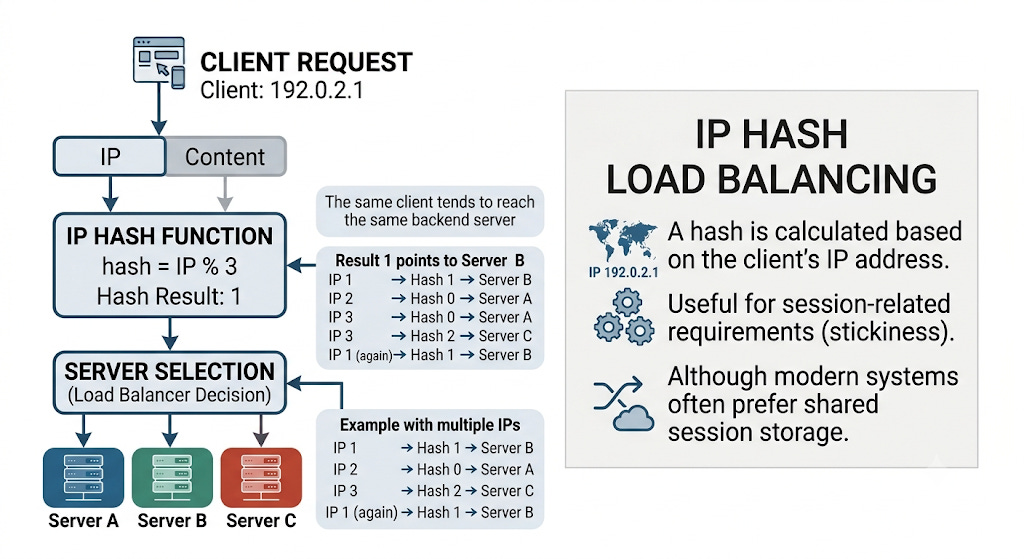
The same client can therefore tend to reach the same backend server.
This can be useful when applications have session-related requirements, although modern systems often prefer shared session storage instead of relying on server affinity.
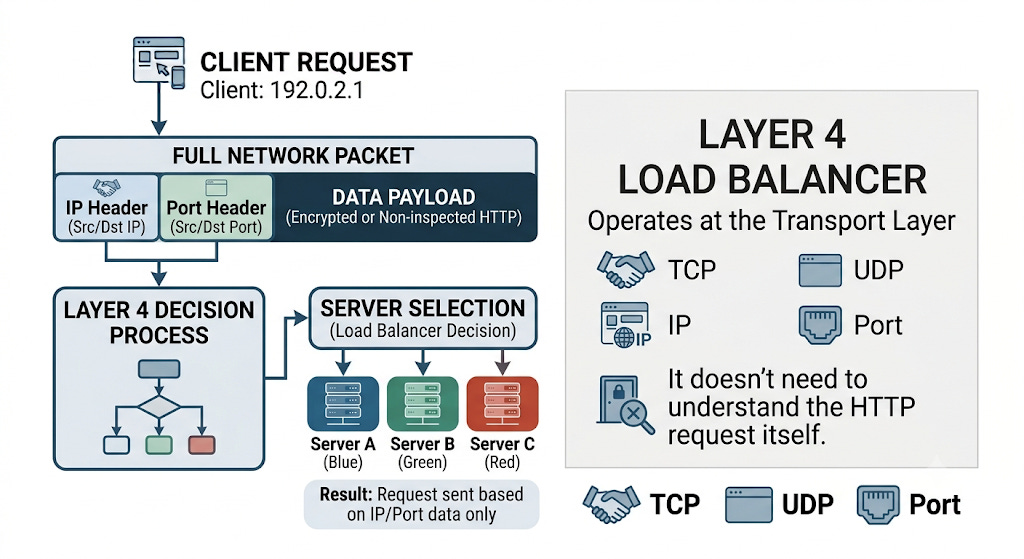
🌐 Layer 4 Load Balancer (Network Level)
Layer 4 operates primarily with:
TCP
UDP
IP
Port
It doesn’t need to understand the HTTP request itself.
Advantages
Fast
Low overhead
Suitable for TCP/UDP workloads
Protocol agnostic
🖥️ Layer 7 Load Balancer(Application Level)
Layer 7 understands application-level protocols such as HTTP/HTTPS.
Therefore, it can make routing decisions based on:
URL path
HTTP method
Headers
Cookies
Hostname
For example:
/api/users/*    → User Service

/api/orders/*   → Order Service

/api/payments/* → Payment Service
Architecture:
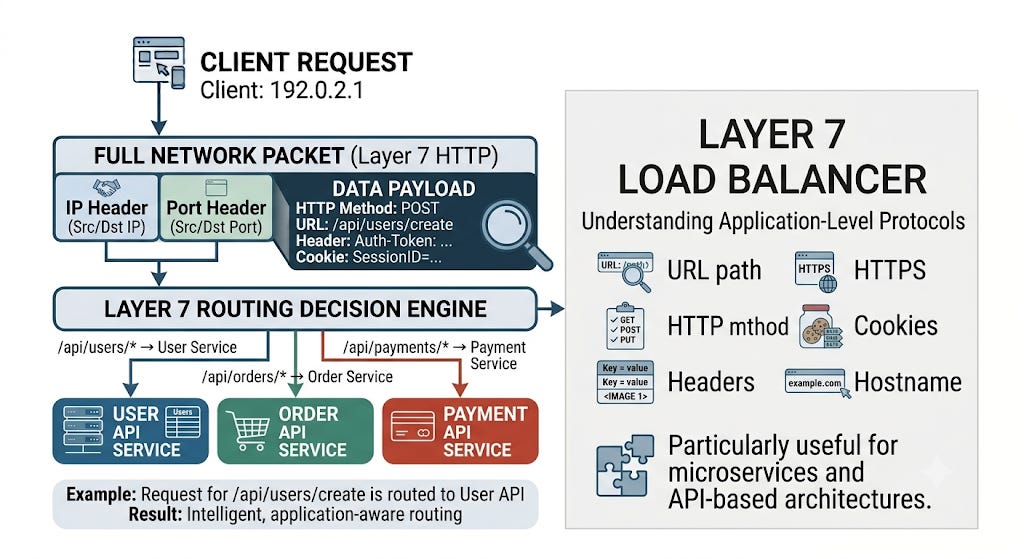
This makes Layer 7 load balancing particularly useful for microservices and API-based architectures.
🎯 Final Takeaway
When designing a distributed application, don’t ask only:
“How many servers do I need?”
Ask:
“How will traffic enter the system, how will it be distributed, how will failures be detected, and how will the system continue operating when individual components fail?”
That’s where the load balancer becomes an important architectural building block.
A well-designed load-balancing layer helps transform a single-server application into a scalable, resilient, and highly available distributed system.